Fortnite
Finds your installation automatically. Process priority, GPU assignment, network prioritization and an editor for the graphics config.
ZeroX Tweaks optimizes Windows, your network and Fortnite for more FPS and lower latency. Every change is backed up first and can be reverted with one click.
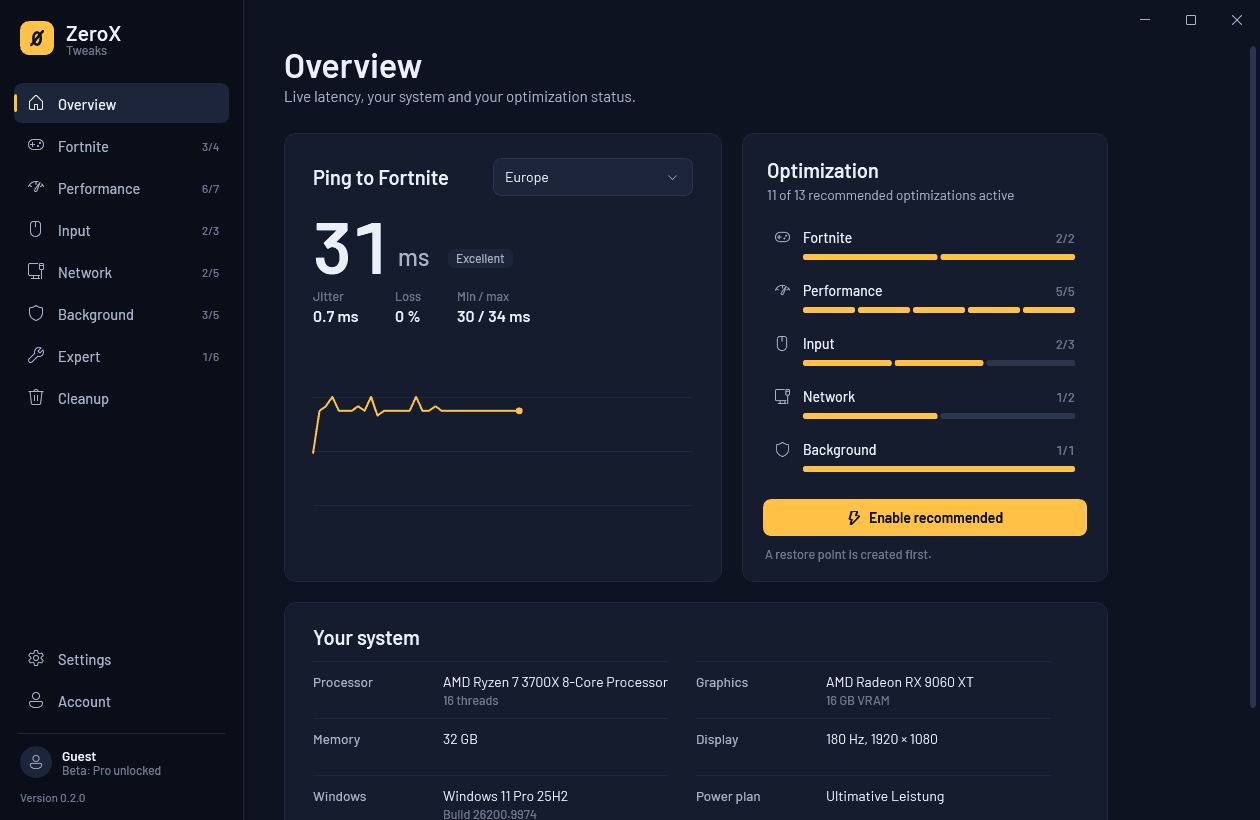
Every tweak shows what it does, what it costs and what it changes in your system. Decide one by one, or enable everything recommended for your PC with a single click.
Finds your installation automatically. Process priority, GPU assignment, network prioritization and an editor for the graphics config.
Maximum-performance power plan, Game Mode, background recording off, power throttling and the multimedia scheduler tuned for games.
A mouse without acceleration, no Sticky Keys pop-up mid-match and no power saving for your mouse, keyboard and headset.
Remove network throttling, stop update uploads to other PCs, turn off adapter power saving and ping every Fortnite region.
Turn off telemetry, widgets, background apps and preloaded browsers so more performance is left for the game.
Deeper changes such as VBS or Spectre protection. With clear warnings, never part of one-click optimization and only after you unlock them.
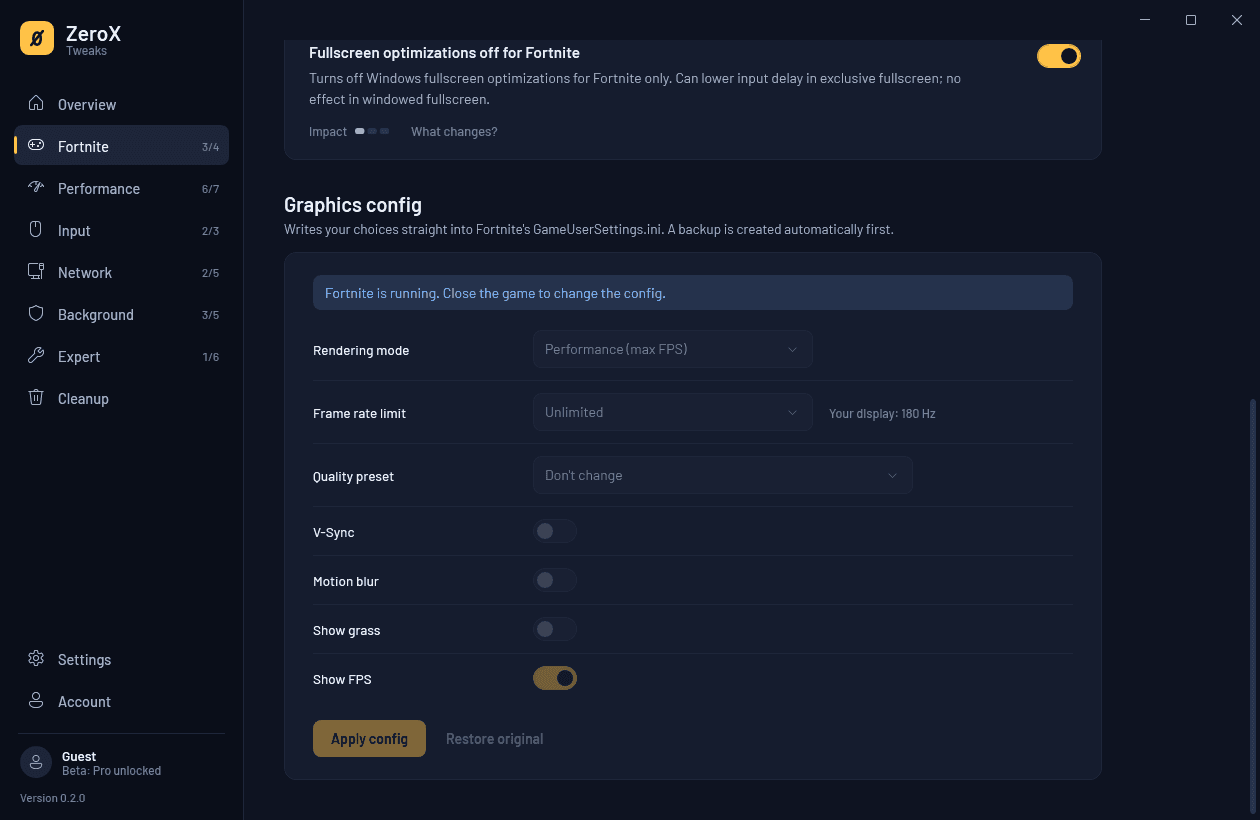
ZeroX reads your GameUserSettings.ini and lays out the most important graphics options clearly. The original is backed up before the first change.
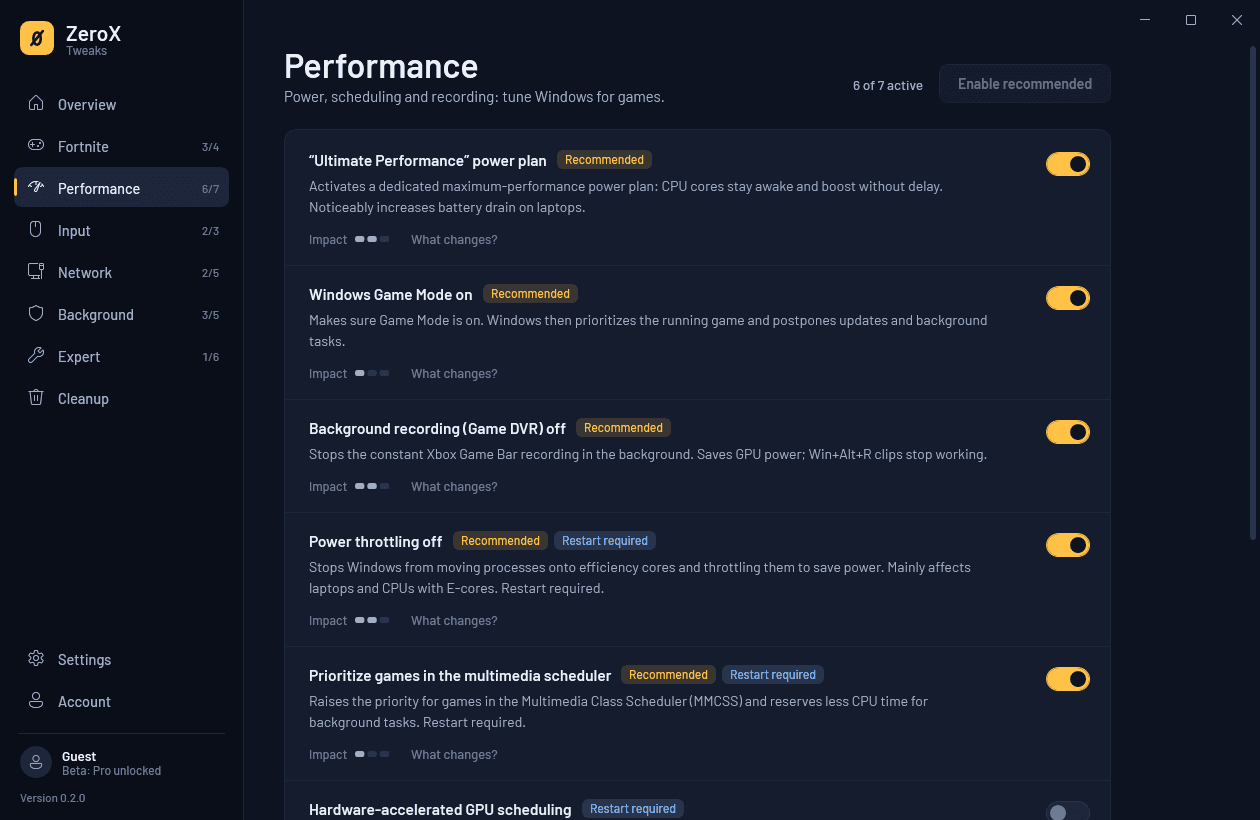
Many tuning tools promise double-digit FPS jumps. ZeroX shows a realistic impact of one to three bars for every tweak and lists every registry value and service under “What changes?”.
Optimizing should never mean breaking something. That's why everything in ZeroX can be reverted.
Before each tweak, ZeroX saves the original value. Turning it off restores it exactly.
Before one-click optimization, ZeroX creates a Windows restore point.
One click restores every change ZeroX made to its original state.
Risky changes have to be unlocked on purpose. Tweaks with security trade-offs ask again one by one.
ZeroX changes Windows settings and Fortnite's own config file, never the game process or the anti-cheat.
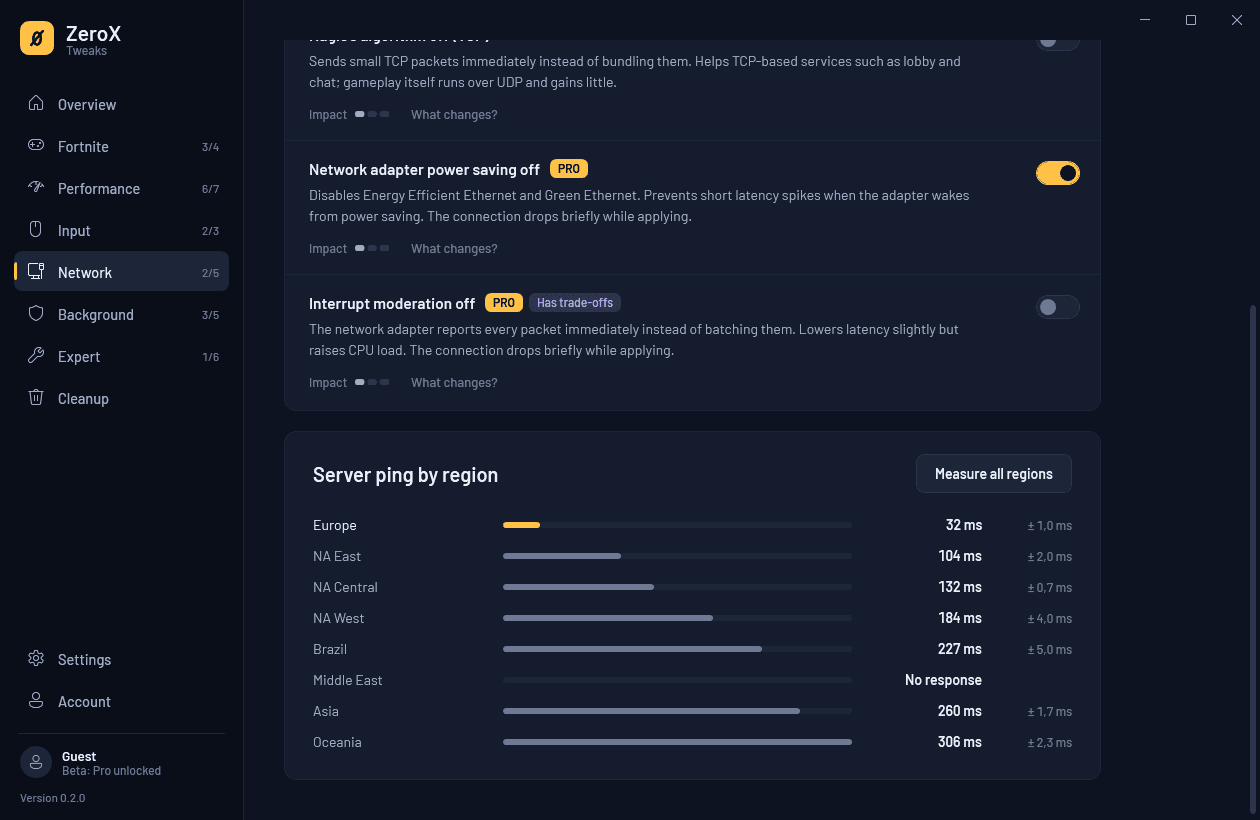
ZeroX continuously measures your latency to eight Fortnite regions, including jitter and packet loss. You can see whether a problem comes from your PC or your connection, and which region is fastest for you.
ZeroX changes neither Fortnite nor its anti-cheat. It only changes Windows settings and the graphics config you can also set in the game menu.
It depends on your system. On laptops and older PCs the difference is usually bigger than on current gaming PCs. That's why ZeroX gives an honest estimate for every tweak instead of blanket promises.
Yes. Every tweak can be turned off on its own, and “Revert everything” restores the original state. ZeroX also creates a Windows restore point before one-click optimization.
Many settings, such as the power plan or Windows services, can only be changed with administrator rights. Without them you can look at everything but change nothing.
During the beta, ZeroX isn't digitally signed yet, so Windows SmartScreen shows “Windows protected your PC”. Click “More info” and then “Run anyway”.
Everything is free during the beta, including Pro features. Later there will be a free version and Pro access.
Automatically: ZeroX checks for updates on every start and installs them itself.
For Windows 10 and 11 (64-bit), about 70 MB. Free during the beta.
Windows asks for administrator rights on start. They're required to change system settings.